Search inside files, or by meaning Optional
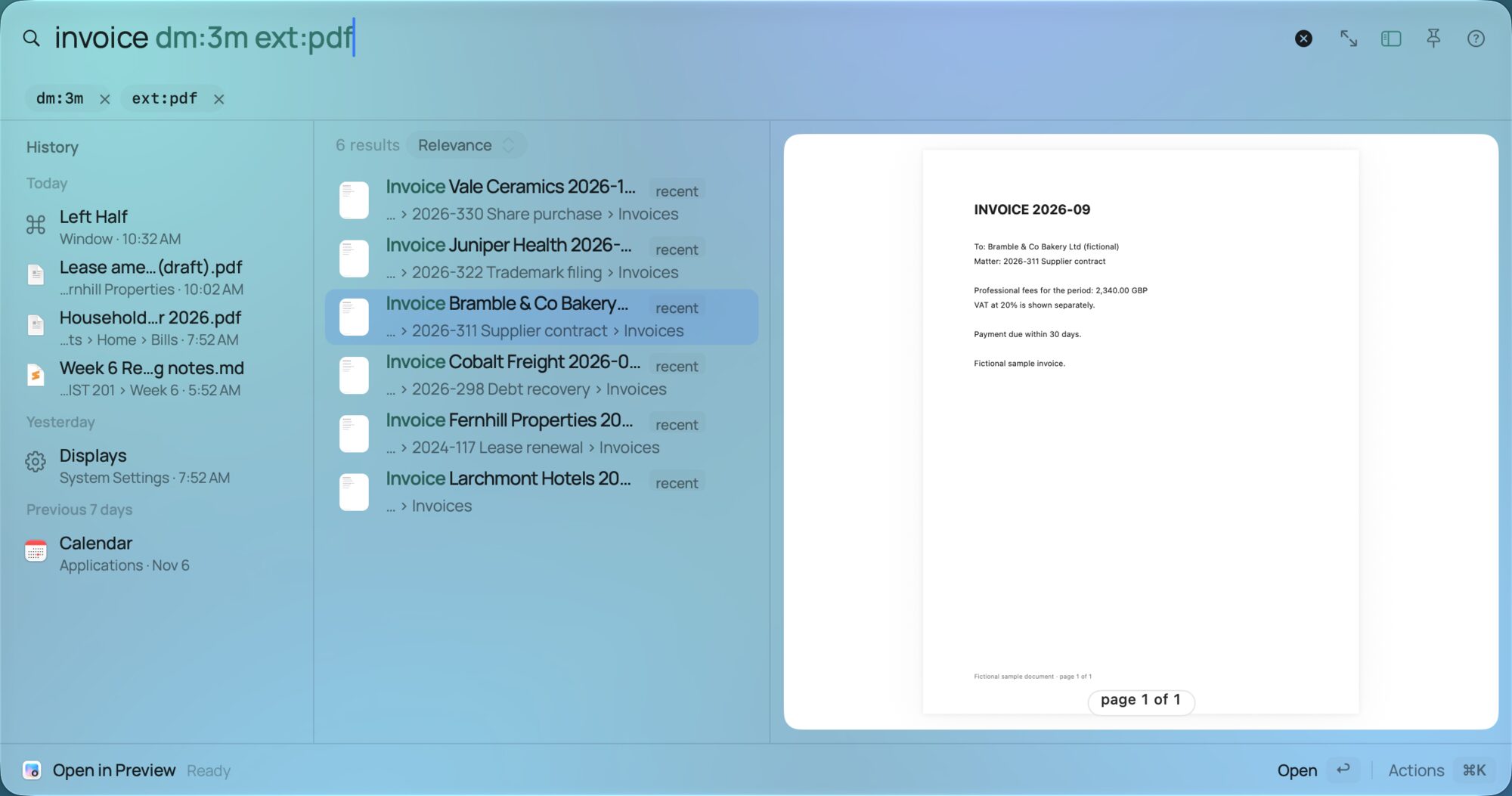
Turn on content indexing for content:budget and jump to matching lines. Turn on on-device semantic search for sem:the garden plan. Text indexing reads a prefix of up to 2 MiB per file, including larger text files. The PDF helper reads a text layer from up to 500 pages and 2 MiB; reading scanned pages on your Mac while indexing is optional, and that text is marked unverified. Semantic search uses on-device chunks. PDF and supported Office/EPUB/OpenDocument text use bounded extraction, source anchors and coverage notices; inspected source revisions guard exact-copy operations.
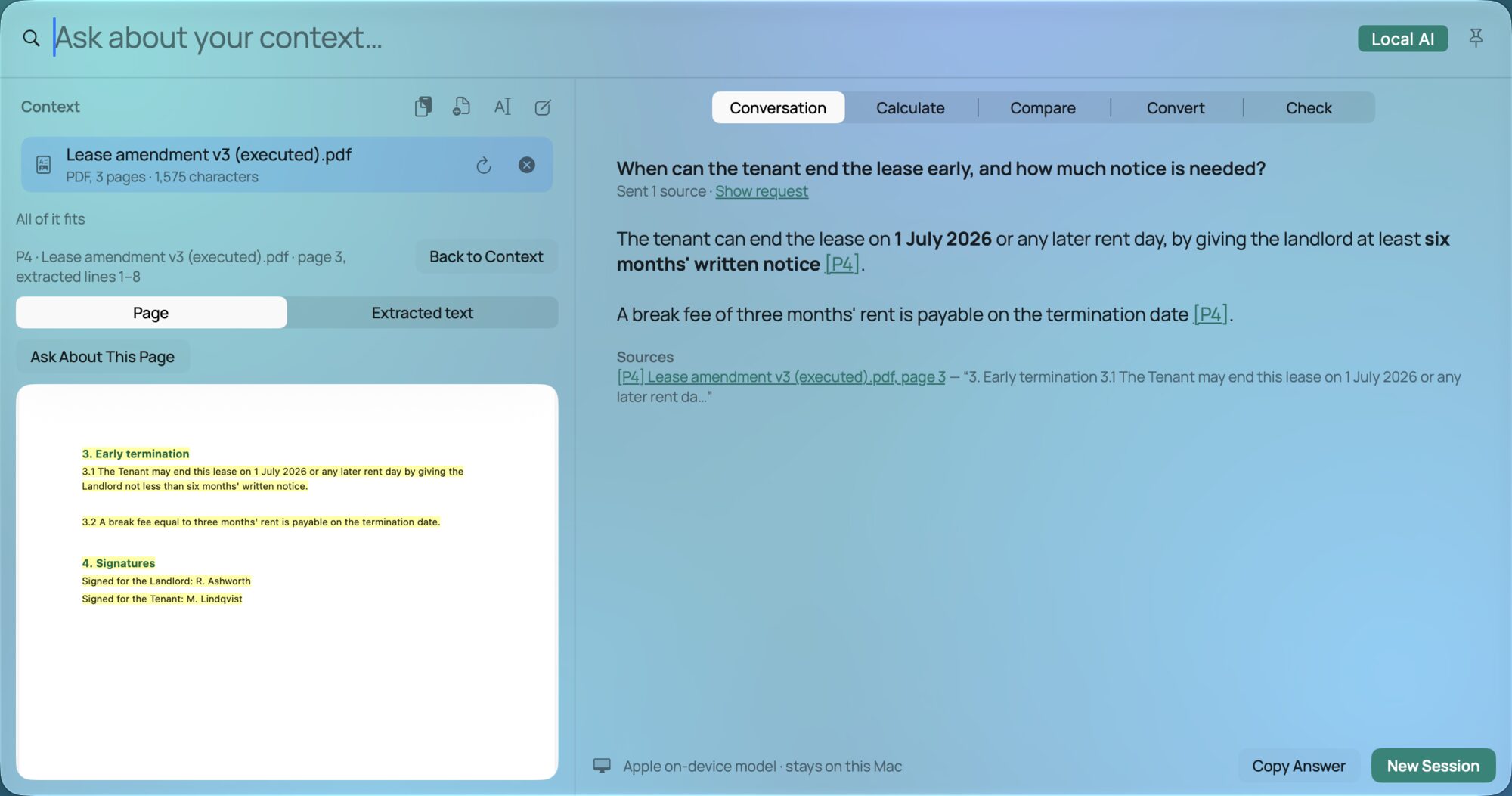
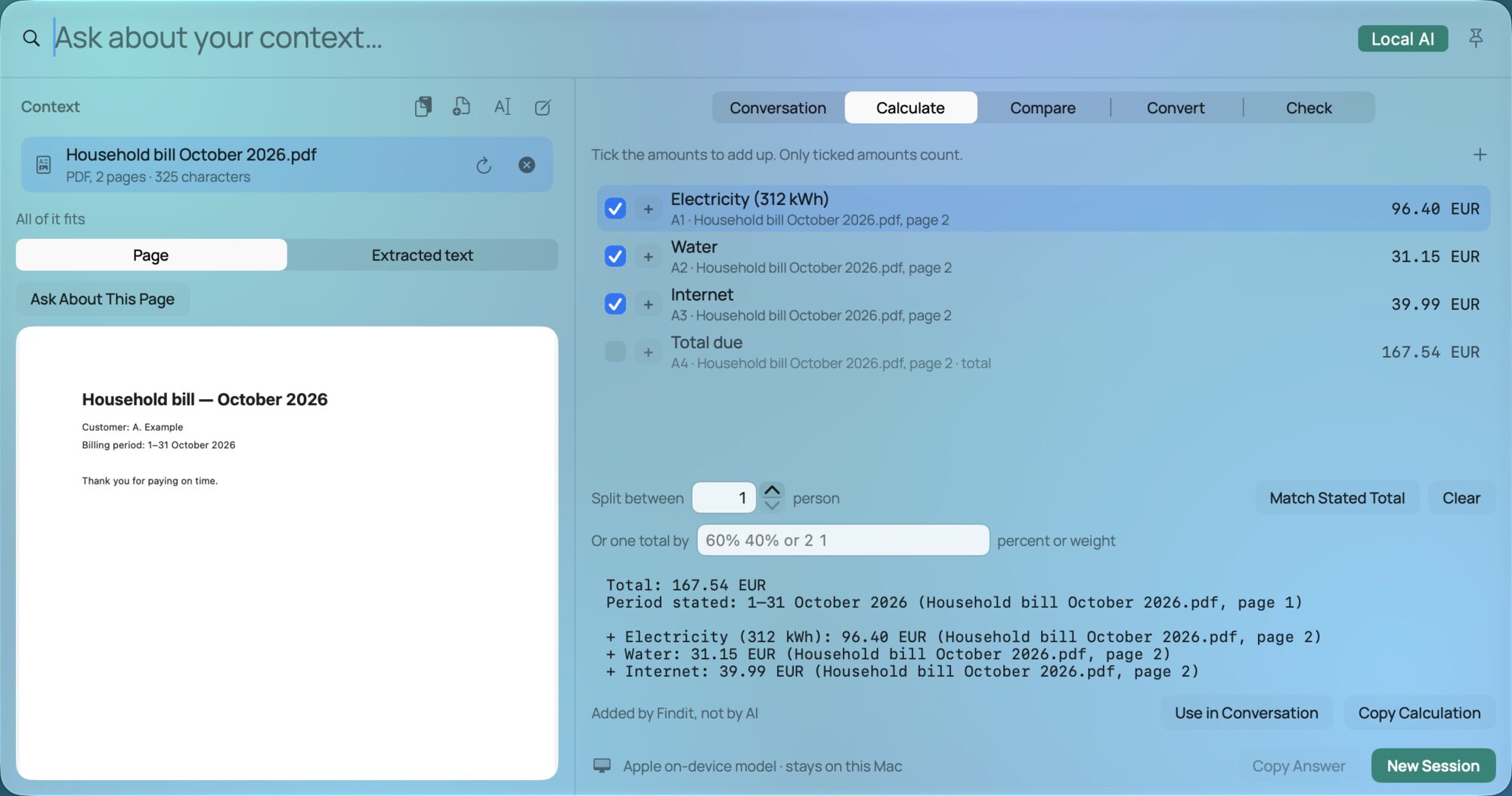
Ask about PDFs, scans and screenshots
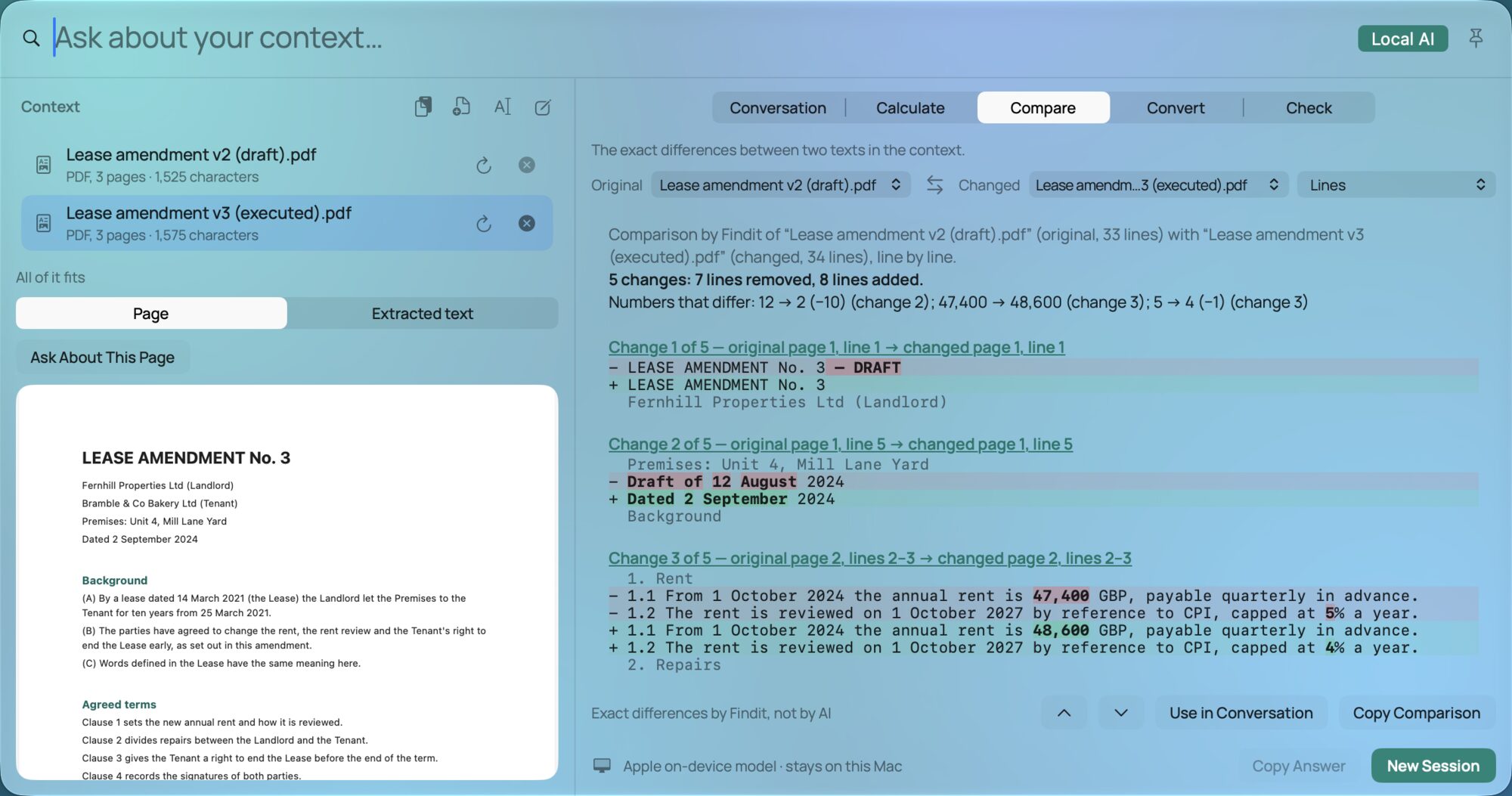
Ask Findit reads PDFs page by page (up to 500 pages) and cites the page. Pages without a text layer and images are read with Apple’s text recognition on your Mac (up to 50 scanned pages per document), and recognized text is always marked as such.
A search that understands your context
Recent use and your active project help rank results. Filter by Git repository, choose a sort order, see “why ranked” with ⌘I, and save named folder scopes such as in:@work. Glob and regex filters are there for precise patterns.
Photos by date and subject Permission asked
Plain-word questions such as “birthday photos from last year”, or photos mode. Searches Apple Photos (after you allow it) and image folders, newest first, with thumbnails. Subjects are confirmed on your Mac by Apple’s Vision classifier; the status says how many photos were checked.
Cloud files and disconnected disks Opt-in retention
See iCloud placeholders without downloading them. Keep a searchable list of an opted-in external disk while it’s unplugged; results tell you to reconnect before opening.
Apps, settings, windows and quick answers
Launch apps, jump to System Settings panes, calculate as you type, run system actions, arrange windows (“left half”) or switch windows with win. Window actions need Accessibility permission.
Clipboard history and snippets Optional
Keep a local clipboard history (clip), pin useful entries, and insert saved text with snip, including today’s date or the clipboard. Stored text stays on your Mac.
For the terminal and your own workflows
A read-only findit CLI with JSON output and shell helpers, and MCP tools for agents, both reading the running app’s live index over a socket only your user can open. The findit:// URL scheme, Find Files and Transform Text actions in Shortcuts (macOS 15 and later), and optional local plugins that run your own scripts on selected files, with each permission approved by you.
Workbench: Home, tools and a feature directory
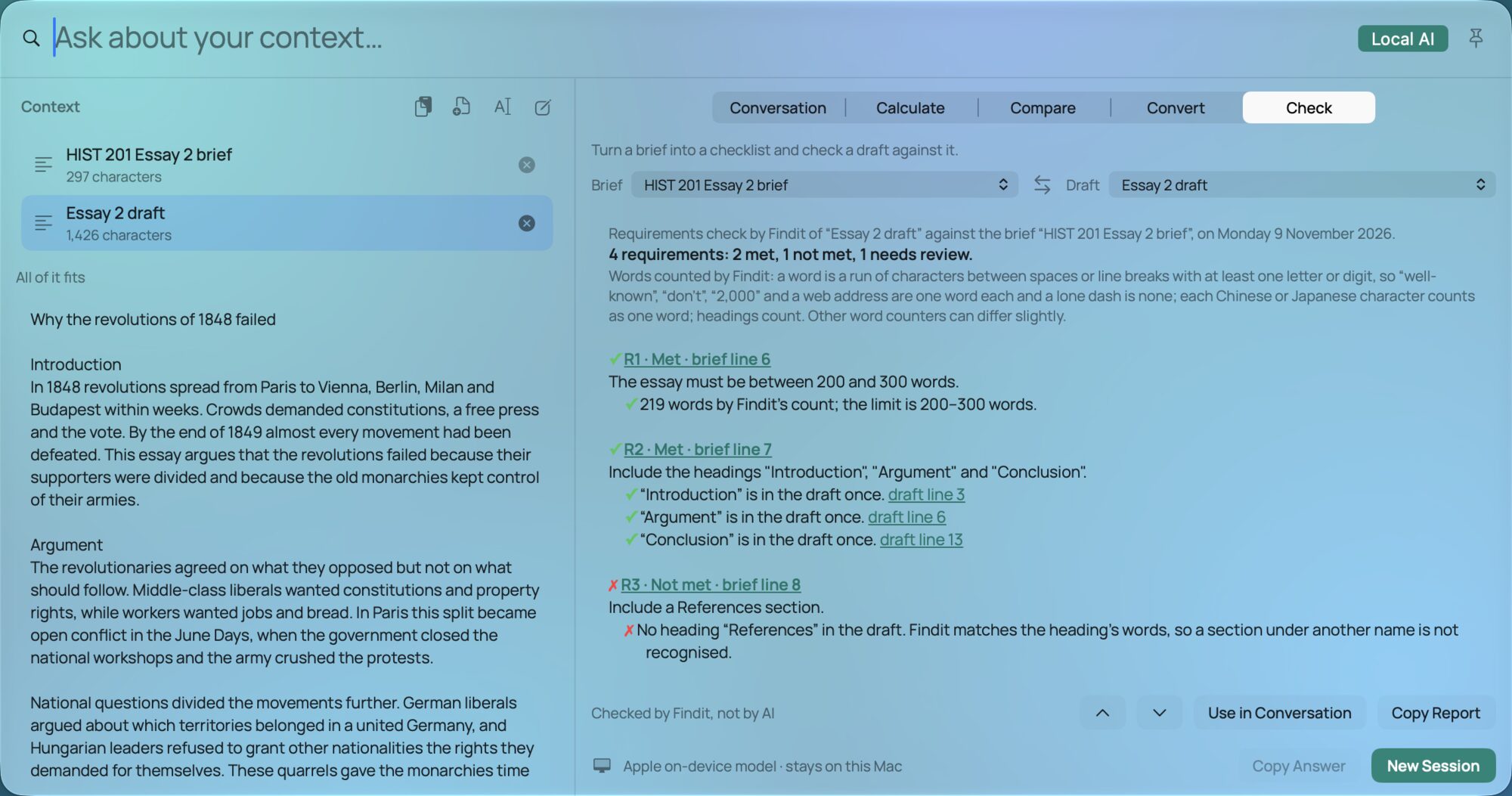
Type home or workbench. Home cards, workspaces, feeds, weather, timers, world clocks, study workflows, work packs, developer helpers and a searchable directory that says what each feature does, what it needs and how to try it. Nothing connects just because Workbench opens.
Exact values and Protected Shelf Authentication
Find a labelled IBAN, routing number, VIN, ISBN, DOI or due date in your documents with its file and position, no model involved; checksums are verified where the format has one. Keep bank details, addresses, passports, Wi‑Fi passwords, recovery codes and TOTP in the Shelf, which asks you to authenticate before each read. Concealed copies restore your previous clipboard, and clipboard history masks one-time codes.
Duplicates, batch convert and Time Travel
Find duplicates by content and review moves to the Trash with a put-back list. Convert images with a dry-run preview of every output. Time Travel lists local snapshots and searches Time Machine backups macOS has mounted (Full Disk Access needed), copying a file out without touching the backup.
Your folders, file types and exclusions
Choose folders, disks and file types. Hidden files are opt-in. Use .finditignore files and exclusions to keep noisy or private folders out. Full Disk Access is optional.
A native Mac experience
Menu-bar app, configurable global shortcut, light and dark appearance, launch at login, Quick Look, full keyboard navigation, VoiceOver labels and announcements, and Reduce Motion support. No browser wrapper.